39 microsoft word tree diagram
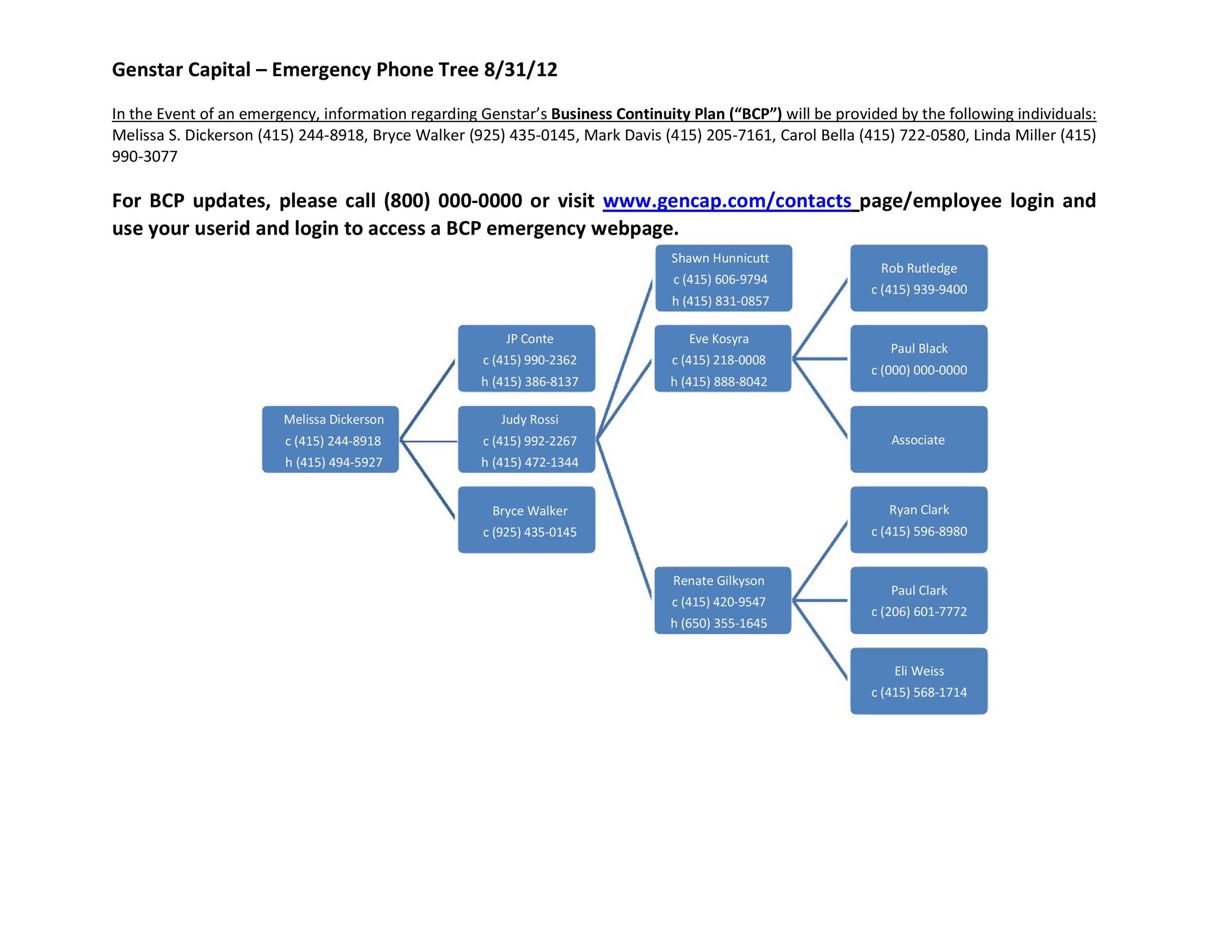
Diagrams - Office.com These free diagram templates utilize colors, infographics, and unique designs to vividly communicate your story. Explore a variety of flowchart templates of PowerPoint. Use a diagram template to lead your client through a process, communicate causes and effects, map out a reporting structure, and more. 50 Free Phone Tree Templates (MS Word & Excel) ᐅ TemplateLab The great thing about a blank phone tree template is that it's easy to create one using Microsoft Word or any other word processing software. Here are the steps: Open a new document in Microsoft Word. Click on the "Insert" tab that's located at the top of the page.
Free Printable Family Tree Diagrams - WikiTree Family Tree JPG 2: This is the same drawing of the family tree diagram with a different photo behind it.This image has fall colors. Family Tree JPG 3: Again, the family tree layout is the same, but here the background photo has spring flowers.: Family Tree JPG 4: Same tree layout with a forest brook in the background.: Family Tree with Ellis Island: Same tree layout with NY's …
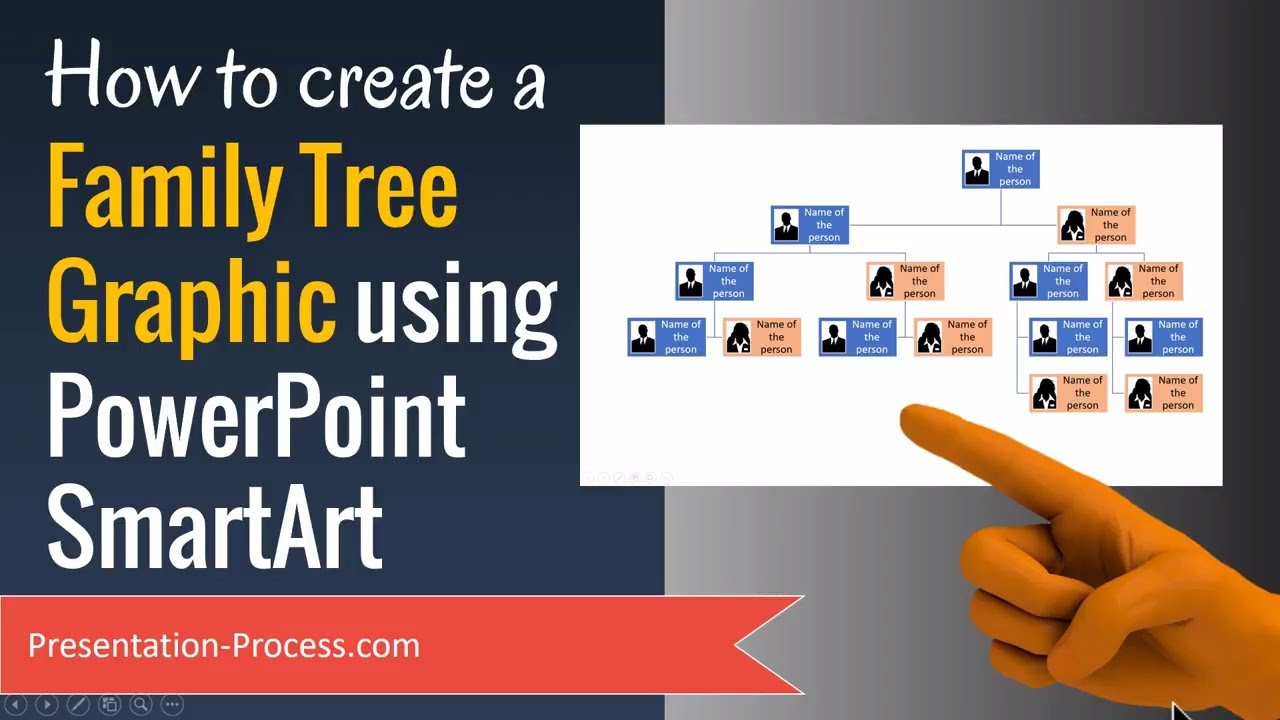
Microsoft word tree diagram
Fishbone Diagram - Free Cause and Effect Diagram for Excel A Fishbone Diagram is another name for the Ishikawa Diagram or Cause and Effect Diagram.It gets its name from the fact that the shape looks a bit like a fish skeleton. A fish bone diagram is a common tool used for a cause and effect analysis, where you try to identify possible causes for a certain problem or event.The following downloads may help you get started, and if you … Free 16+ Family Tree Templates and Charts (MS Word and PDF) YES, there is a family tree template on Word. Creating a family tree on Microsoft word is simple and straightforward. All you need to do is follow the two simple processes give above. Open Microsoft Word, click then insert menu and then choose SmartArt graphics. Enter the name of family members in the editing box. HOW TO USE MICROSOFT WORD TO DRAW A DIAGRAM - YouTube Many teachers and educators find the skill of drawing diagrams on the documents very challenging. Since many of these diagrams are usually copied or traced f...
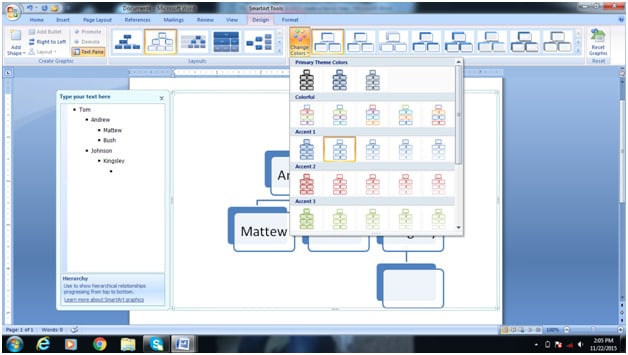
Microsoft word tree diagram. Flowchart Maker and Diagramming Software | Microsoft Visio Trial versions only exist for Visio Plan 1 and Visio Plan 2. These trials are free for 30 days for first-time trial users with a work or school account. To sign up for your 30-day trial, visit the following links for Visio Plan 1 and Visio Plan 2.Visio Plan 1 … Create a tree diagram - support.microsoft.com Click File > New > Templates > General, and then open Block Diagram. From the Blocks and Blocks Raised stencils, drag block shapes onto the drawing page to represent stages in a tree structure. To add text to a shape, select the shape, and then type. Indicate relationships between the blocks by connecting the shapes: support.microsoft.com › en-us › officeCreate a tree diagram - support.microsoft.com Click File > New > Templates > General, and then open Block Diagram. From the Blocks and Blocks Raised stencils, drag block shapes onto the drawing page to represent stages in a tree structure. To add text to a shape, select the shape, and then type. Indicate relationships between the blocks by connecting the shapes: How to Create a Family Tree in Microsoft Word - Tutorial ... Start the Microsoft Word application. Go to the office button click on it at the drop-down of option; select new, then click on the blank document option. Step 2 Click the insert option on the toolbar. Select the Smart Art button and click. This will open a drop-down options box for you to make your choice. Step 3
146+ Microsoft Access Databases And Templates With Free ... Mar 29, 2022 · We provide access database templates in Microsoft Access software application which can be used to manage multiple databases such as tables (numbers, text, or other variables), reports, forms, queries, macros (if any) and other various objects with specific connecting relationships based on user needs. How to Make a Decision Tree in Word | Lucidchart Blog Insert your decision tree into MS Word as a high-resolution image using the Lucidchart add-in. In your Word doc, find the Lucidchart add-in in the upper-right corner. Click "Insert Diagram." Select your decision tree from the list. Check the preview. If it's the correct diagram, click "Insert." PDF How to Draw Tree Structures in MS Word How to Draw Trees in MS Word (English version) Ken Ramshøj Christensen, 2005 2 (2) Tabs a. In the menu choose Format > Tabs… b. Set default tab stop to 1.0 cm: (3) Grid a. Choose View > Toolbars > Drawing b. In the Drawing toolbar (most likely at the bottom of the window), choose Draw > Grid… for A+ Projects - Free Family Tree Templates 4 Generation Pedigree Chart; How to Make a Family Tree Template. In the case of an ancestor tree your name(the name of the person making the family tree) should be at the bottom(or left) and the name of the parents, grandparents and maybe great-grandparents should expand upwards or towards the right.
How Do I Create a Tree Diagram in Word? | Techwalla Dec 14, 2018 · To make a basic tree diagram in Word – including the 2016 and 2019 versions available under the Microsoft Office 365 umbrella – you make use of the included SmartArt feature. SmartArt, which also works with other Office 365 programs, allows you to edit charts and diagrams from simple templates. templates.office.com › en-US › Multi-color-treeMulti-color tree diagram - templates.office.com This tree diagram includes useful infographics. This is an accessible template. PowerPoint Download Open in browser Share Find inspiration for your next project with thousands of ideas to choose from Address books Agendas All holidays Animation and 3D Announcements Autumn Baby Back to school Bids and quotes Birthday Blank and general Brochures How to Make a Family Tree on Word | Edrawmax Online It is easy to learn how to create a family tree in Word, and you just need to follow the steps detailed below. Step 1 - Open MS Word and select SmartArt Graphics Open Microsoft Word on your computer. SmartArt graphics can be used to create family trees in Microsoft Word. From the Insert menu, go to the SmartArt Graphics in the Illustrations. 30 Free Decision Tree Templates (Word & Excel ... There are various ways to make a decision tree template but the easiest way to make one is through Microsoft Word by following these steps: Launch the software and open a new document. Click on the Insert tab, Illustrations, then SmartArt Graphics. Choose your preferred SmartArt Graphic from the Hierarchy template that will suit your needs.
How to create a Family Tree Graphic using PowerPoint SmartArt
14+ Tree Diagram - Free Printable Word, Excel, PDF, Format ... 14+ Tree Diagram - Free Printable Word, Excel, PDF, Format Download A tree diagram template is quite a useful problem-solving tool. The diagram depicts a relationship, which often start with a central node, also known as the trunk. The central node, in this case, is the idea you would like to analyze or the problem you intend to solve.

Template Tree Guestbook Microsoft Word Diagram, tree ...
Five Generation Family Tree Template – 11+ Free Word ... 57+ FREE FAMILY TREE Templates - Download Now Adobe PDF, Microsoft Word (DOC), Microsoft Excel (XLS), Google Docs, Apple (MAC) Pages, Apple (MAC) Numbers. ... Family Tree Diagram Template - 13+ Free Word , Excel, PDF Free ... 25+ Family Tree Templates - Free Sample, Example, Format Free ...

Word: tree diagram - how it works
Fault Tree Analysis sample diagram for ... - microsoft.com Use this Microsoft Visio 2010 sample diagram to analyze the primary causes of information systems failures. This sample diagram uses the built-in Fault Tree Analysis shapes in Visio to present an example of how Visio can be used to assess information systems failures stemming from a database failure, software failure, or insufficient permissions.
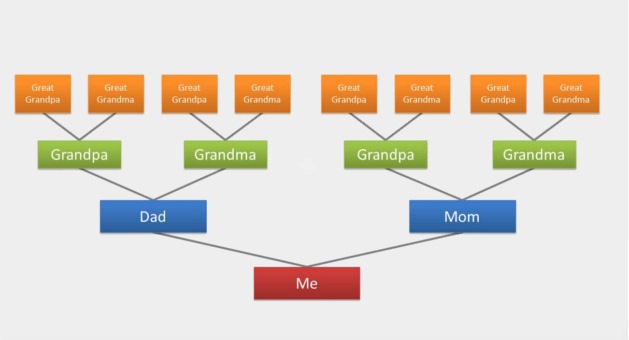
14+ Tree Diagram – Free Printable Word, Excel, PDF, Format ...
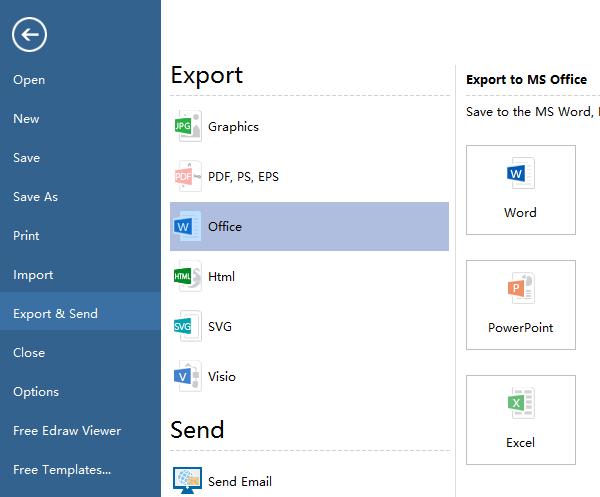
Create Fault Tree Diagram for Word - Edraw Go to the File menu, click New, click Business Diagram, select Fault Tree Analysis, and then choose a template that you like from pre-made examples. Or you may press Ctrl + N to customize your Fault Tree from a blank canvas. From the library pane of Fault Tree Analysis Shapes, drag the Event shape to the top of the canvas.

Family Tree Chart Template: Free Download, Create, Edit, Fill
How do you create a tree diagram in Word? - Quora Click the "Insert" tab, click "Shapes," and then select the basic line under Lines. Click in the middle left of the page to start the line that has to present ...2 answers · 2 votes: Easiest method is to use Smart Art. Just try it a little and you will get a grip on it. ...
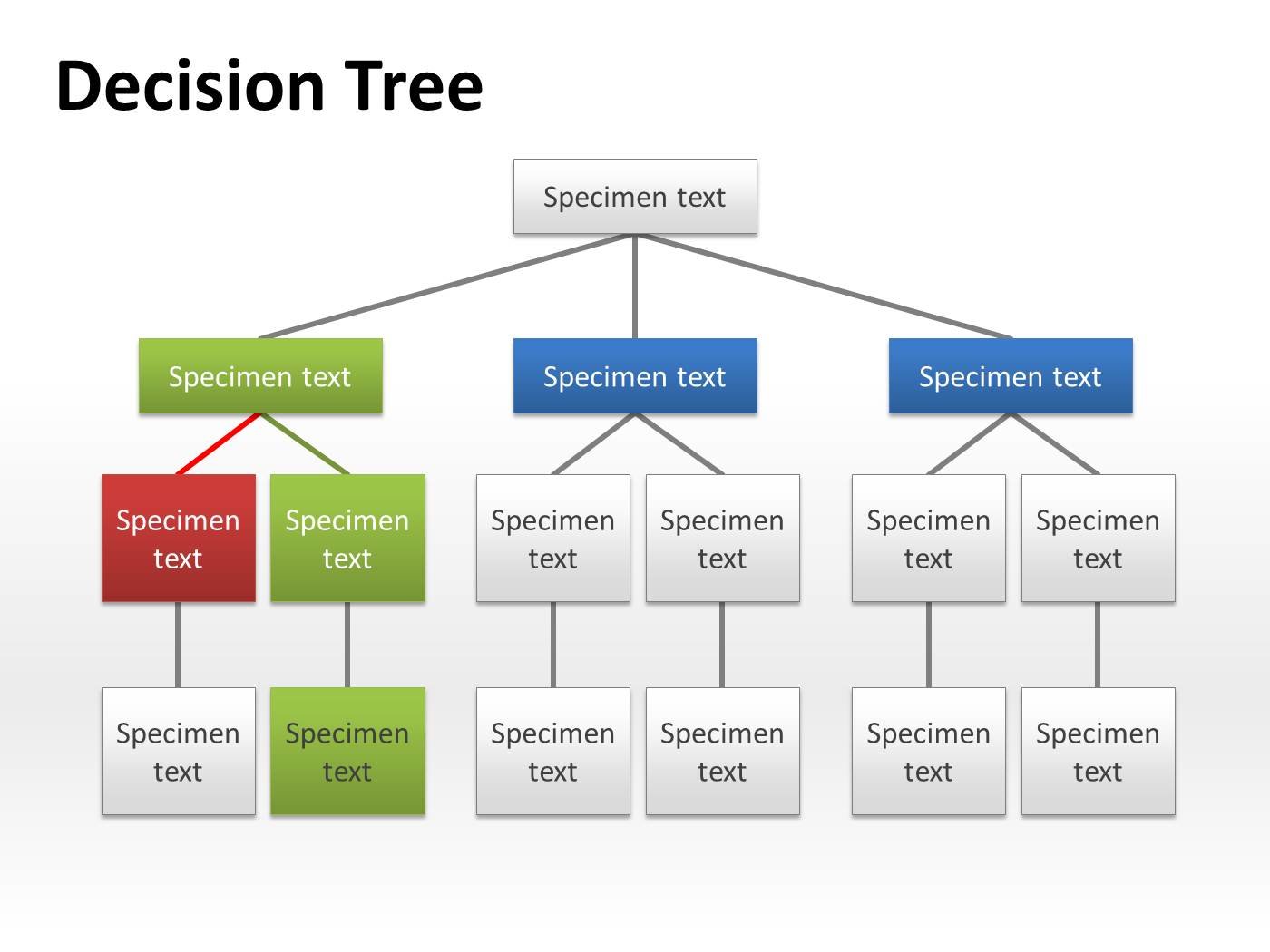
How To Do a Decision Tree in Word
Tree Diagrams - Microsoft Community It is not exactly what you want, but roughly the same organization. Take a look at SmartArt > List > Architecture Layout But good news, there is a workaround. You can create the desired org chart by inserting Shapes and using "smart connectors" to join them. Another way of saying that would be to create a very special form of "flowchart"

Make Your Own Family Tree Best Of Family Tree Template for ...
How Do I Create a Tree Diagram in Word? | Techwalla To get started, click "Insert" on Word's toolbar and click the "SmartArt" button to open a SmartArt graphic gallery. From here, you can choose from more than 200 starting templates that include list charts, process charts and hierarchy charts. In particular, the hierarchy charts are a good place to start a tree diagram.
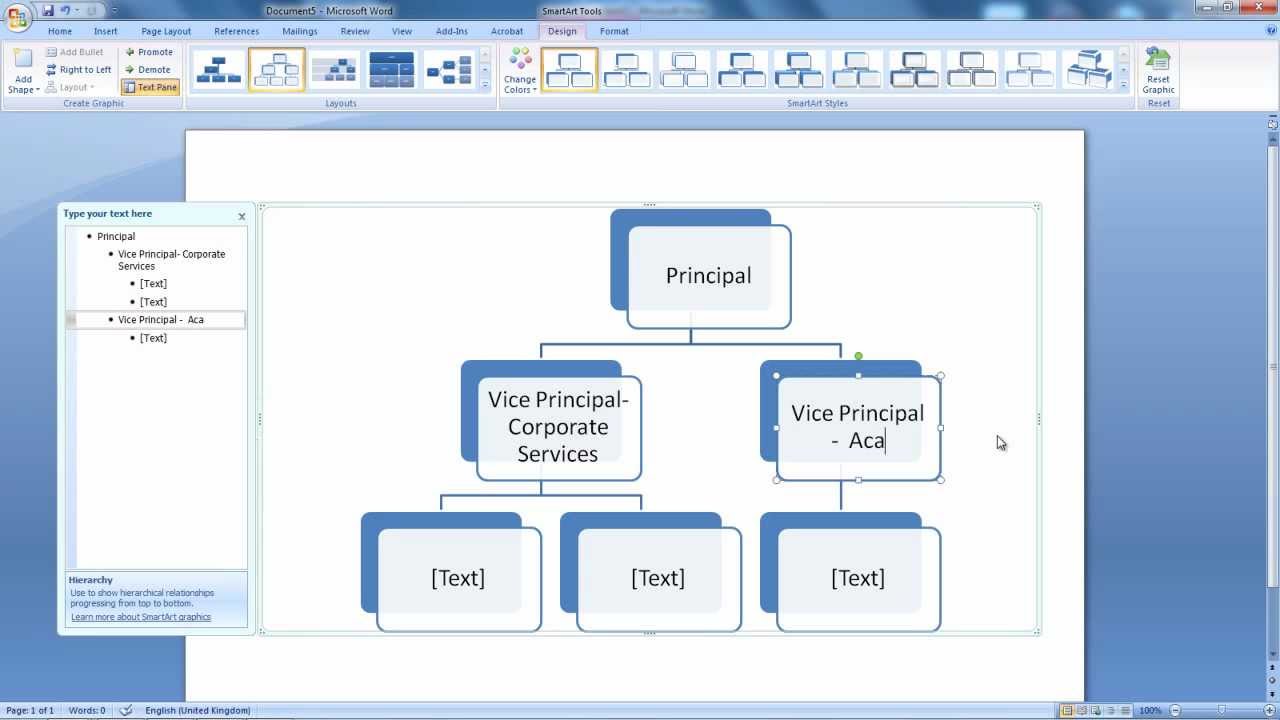
Hierarchy - Create a Hierarchy in Word for dummies for beginners
Diagram Template – 18+ Free Word, PDF Documents Download ... The word diagram is derived from a Greek verb diagraphien that means ‘to mark out by lines.’ Diagrams are graphic representations of information. Diagrams can be simple lines or marks and can be complex drawings like architectural drawings and engineering plans.
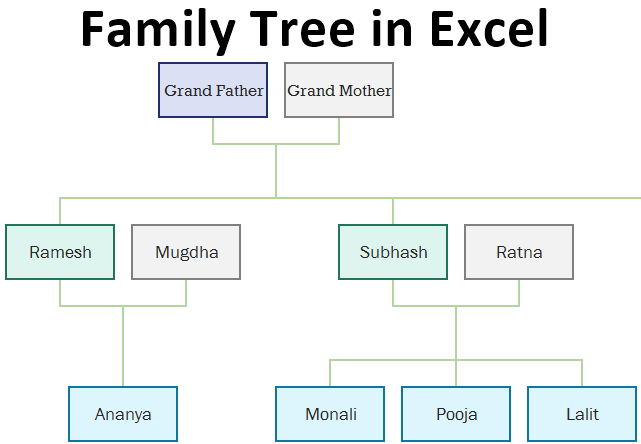
Family Tree in Excel | Creating a Family Tree Template in Excel
Family Tree Diagram Template - 20+ Free Word , Excel, PDF ... To create a family tree from scratch, open a new document in Microsoft and select Diagram Template from document type. Then go to insert option and select smart art buttons from the toolbar. A drop down will come from where you have to make the selection. You need to click on hierarchy, and to the left, you will see different types of charts.
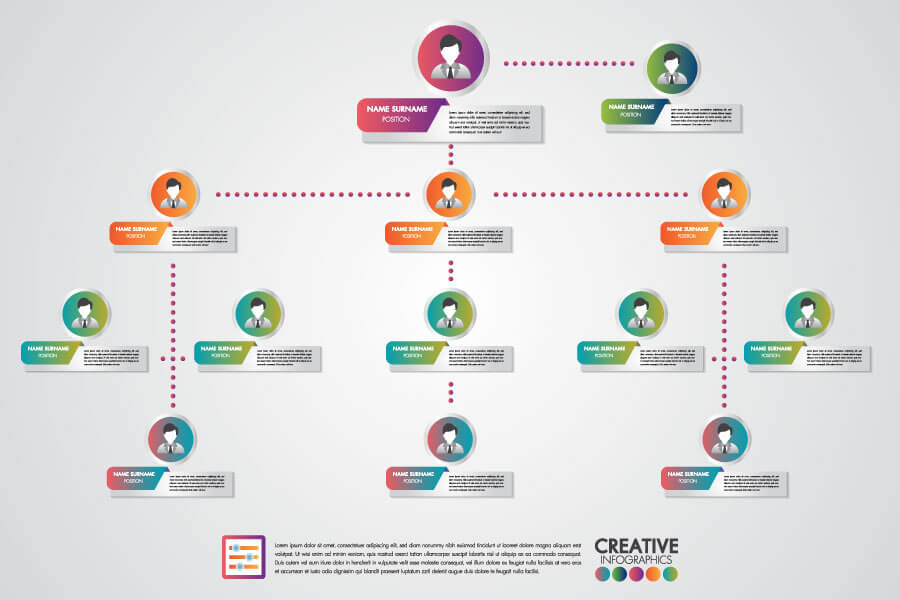
6 Free Decision Tree Templates (Word | Excel | PowerPoint)
How to Make a Decision Tree in Word | EdrawMind Before you begin spreading out your decision tree diagram, you need to have the crucial subject in mind. Recognize the crucial information about your point and how they relate to it. By and by, to design the decision tree, Microsoft word use any of the going with decisions.
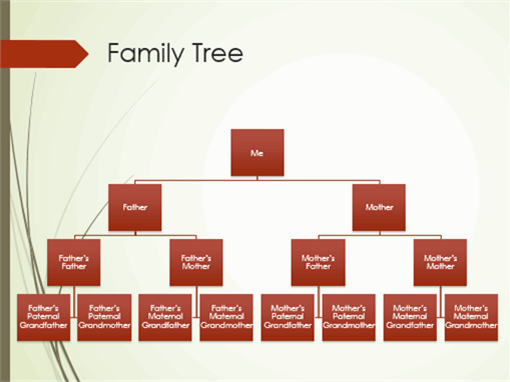
Family tree chart (vertical, green, red, widescreen)
Insert and Modify Diagrams in Microsoft Word 2016 ... Word 2016 includes a powerful diagramming feature called SmartArt that you can use to create diagrams directly in your documents. By using these dynamic diagram templates, you can produce eye-catching and interesting visual representations of information. SmartArt graphics can illustrate many different types of concepts.

Download A Decision Tree Template for Word - BrightHub ...
How to Make a Family Tree on Word | Edrawmax Online A family tree Word can be simple and complex. In either way, it should be easy to understand. You can create a family tree in Word if you need to draw a few generations of your family. Family tree Microsoft Word would be easy to understand and design, but if you need to create a detailed family tree, then Edraw Max is the right choice.
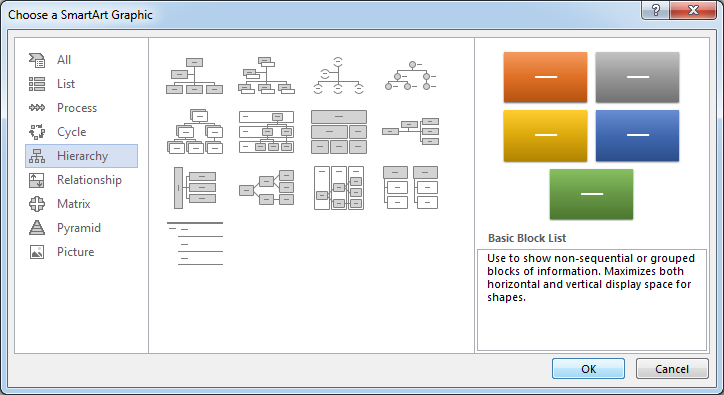
How to Make a Decision Tree in Word | Edrawmax Online
How to Make a Decision Tree in Word | Edrawmax Online Microsoft Word can build a very simple and basic level decision tree. ... build a complete decision tree, which will not only be an attractive diagram but ...How to Make a Decision Tree...How to Make a Decision Tree...How to Export an Edraw Diag...1 of 3Step 1 – Open MS Word and select SmartArt Graphics. Create a decision tree Word using the SmartArt Graphics provided in the Illustrations. Open Word on your computer. From the Insert tab, go to the IlContinue on »2 of 3A decision tree can work as a great visual tool to help you identify the best-case scenario by considering all the possible options. Microsoft Word can build a very simple and basic level decision treContinue on »3 of 3In case you've created the decision tree, but you need to make some changes to it, Edraw Max allows the users to export the files in different formats. You can save the decision tree Microsoft Word inContinue on »

Top 7 Decision Tree PowerPoint Templates
How to Create A Network Diagram in Word | EdrawMax Online 1. How to Create A Network Diagram in Word It is crucial to understand every step of a network diagram, and it will be time-taking for any newbie.However, with Word and its user-friendly templates and other allied elements, a beginner will be …
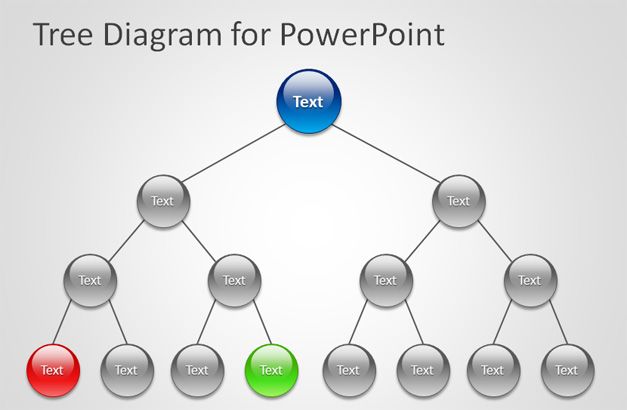
Free Tree Diagram for PowerPoint
How to draw a sentence tree or word tree in MS Word ... Word tree or morphology tree is a useful tool to illustrate processes of inflectional or derivational morphemes, while sentence tree or tree diagram is used to describe how sentences are organized in the mental grammar so emphasis relationships between all parts of a sentence. Provided that these trees are used by most linguists and other academic professionals in their course materials ...
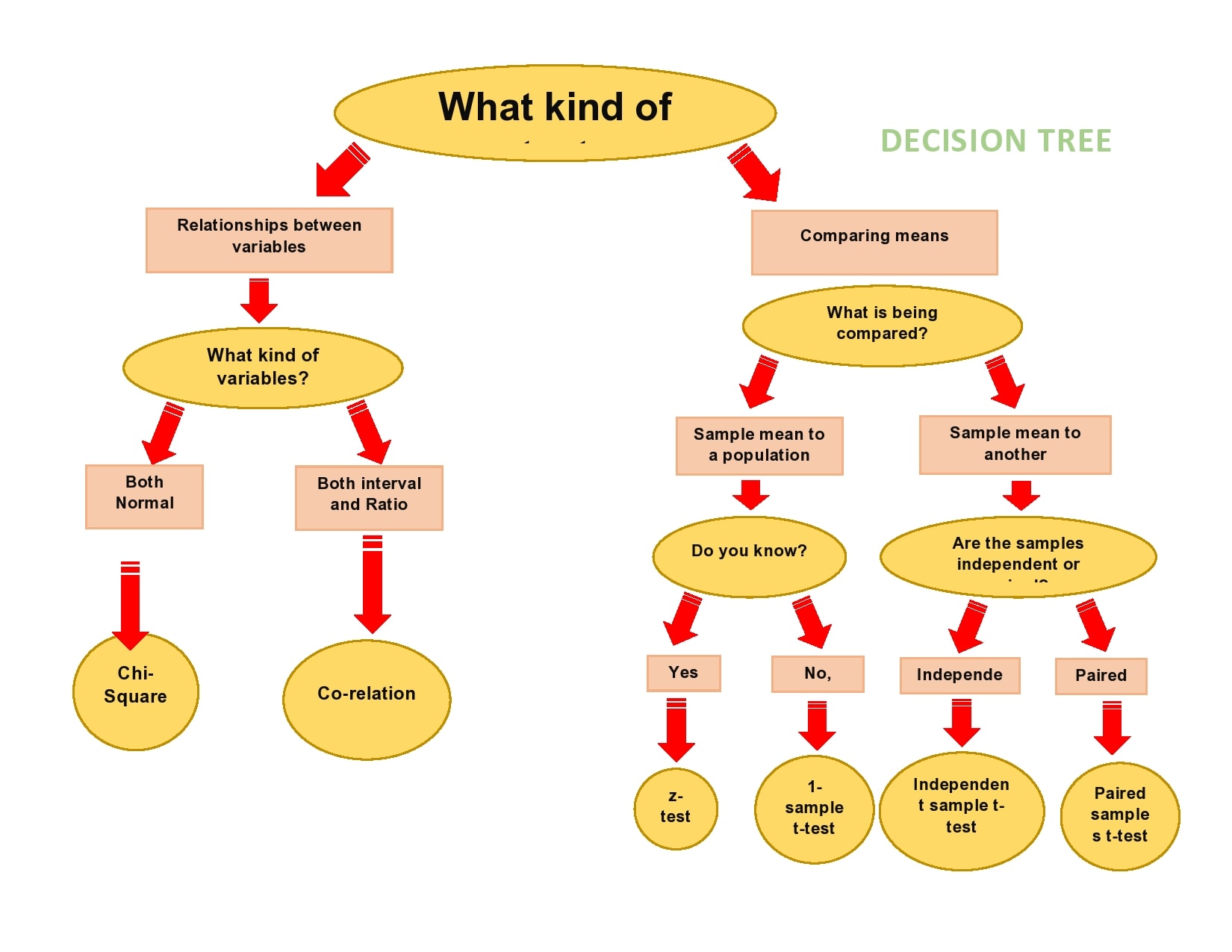
30 Free Decision Tree Templates (Word & Excel) - TemplateArchive
Create a Family Tree in Microsoft Word for Beginners Start to create your family tree in Microsoft Word Step 2 - Using Smart Art to Create a Family Tree We will use smart art in Microsoft Word to create an initial structure for our family tree. Select the insert option from the main toolbar. Next, select the SmartArt option.
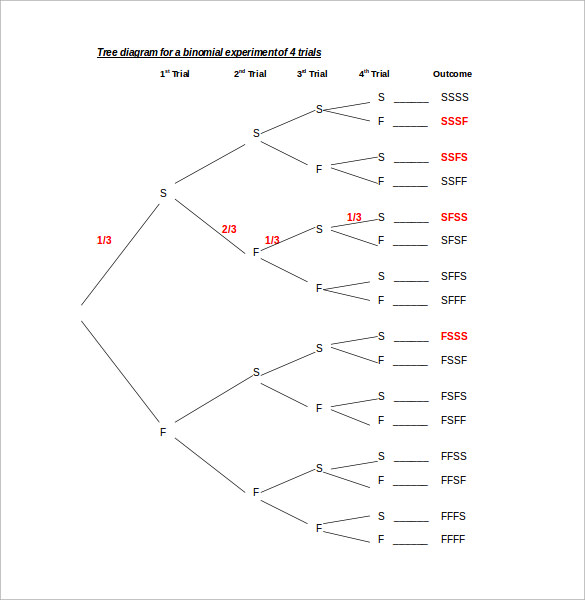
FREE 12+ Sample Tree Diagram in MS Word | PDF
How to Make A Tree Diagram Online for Free - GitMind With that being said, you can follow these simple steps to create a tree diagram on Word. Create a blank page document on Word. Next, add the contents of the tree diagram by clicking the "Insert" tab. Choose from the different shapes under the "Flowchart" section and add them to the blank page.
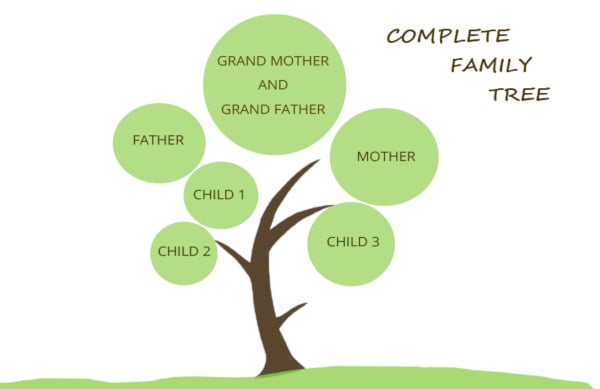
How to Create a Family Tree in Microsoft Word - Tutorial ...
How Do I Create a Tree Diagram in Word - YouTube See more:
Fault Tree Diagram
answers.microsoft.com › en-us › msofficeFamily tree diagram in Word? - Microsoft Community Anyone have a simple family tree diagram I can use in Word? This thread is locked. You can follow the question or vote as helpful, but you cannot reply to this thread.

How to Make a Decision Tree in Word | Lucidchart Blog
Tree diagrams in microsoft word 2010 - msofficeforums.com Tree diagrams in microsoft word 2010. Is it possible to do a probability tree diagram in microsoft word 2010 #2 01-08-2012, 06:07 PM macropod Windows 7 64bit Office 2010 32bit Administrator : Join Date: Dec 2010. Location: Canberra, Australia. Posts: 21,240 ...
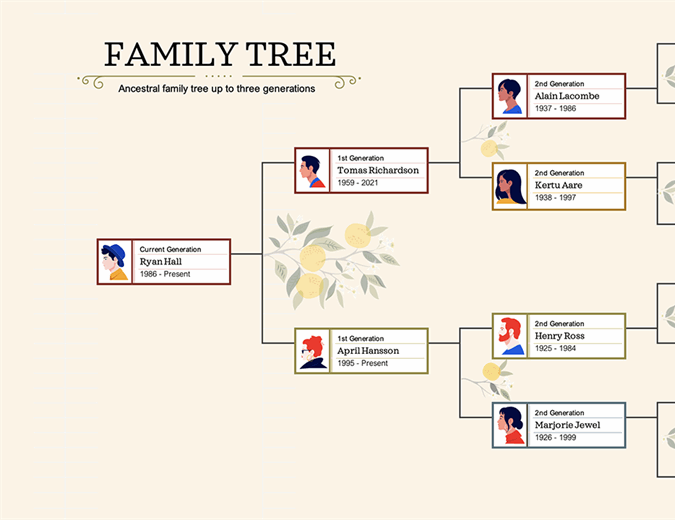
Photo family tree
HOW TO USE MICROSOFT WORD TO DRAW A DIAGRAM - YouTube Many teachers and educators find the skill of drawing diagrams on the documents very challenging. Since many of these diagrams are usually copied or traced f...
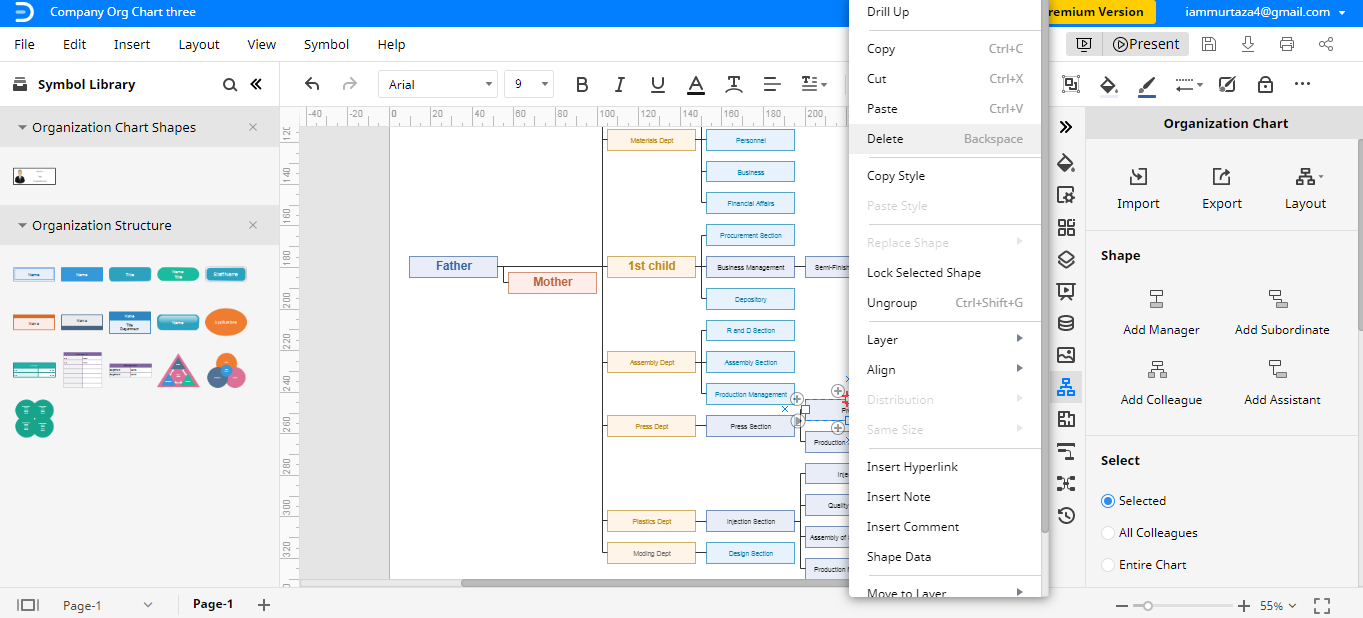
How to Make a Family Tree on Word | Edrawmax Online
Free 16+ Family Tree Templates and Charts (MS Word and PDF) YES, there is a family tree template on Word. Creating a family tree on Microsoft word is simple and straightforward. All you need to do is follow the two simple processes give above. Open Microsoft Word, click then insert menu and then choose SmartArt graphics. Enter the name of family members in the editing box.

How to Create a Tree Diagram in Excel
Fishbone Diagram - Free Cause and Effect Diagram for Excel A Fishbone Diagram is another name for the Ishikawa Diagram or Cause and Effect Diagram.It gets its name from the fact that the shape looks a bit like a fish skeleton. A fish bone diagram is a common tool used for a cause and effect analysis, where you try to identify possible causes for a certain problem or event.The following downloads may help you get started, and if you …
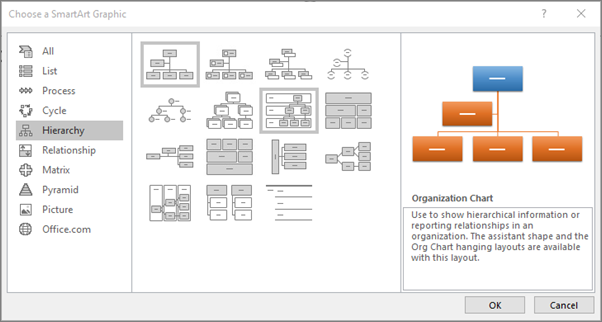
Create an organization chart
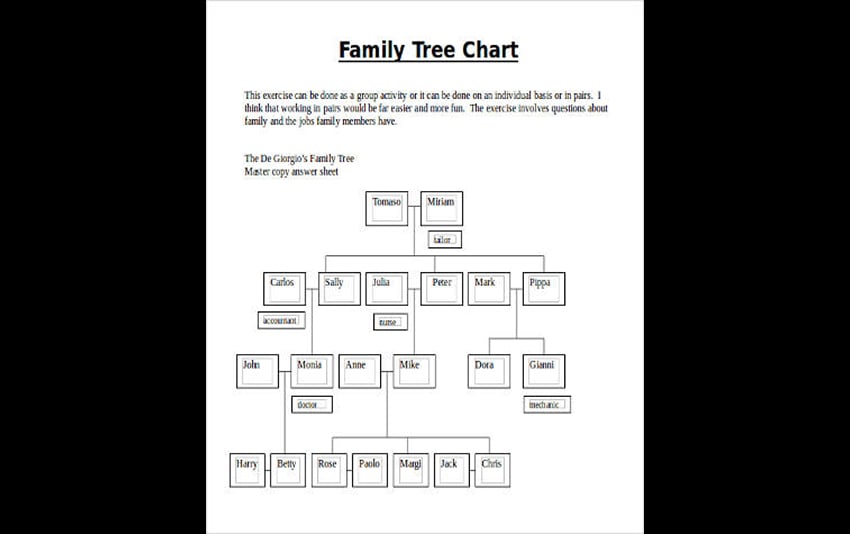
Best Free Family Tree Microsoft Word Templates to Download

How to Make A Tree Diagram Online for Free
Create Fault Tree Diagram for Word - Edraw

How to Make or Create a Tree Diagram in Word Easily (Example ...
How to create a tree diagram in Word - Quora
Using Microsoft Word, draw a diagram of the | Chegg.com
How to Create a Family Tree in Microsoft Word - Tutorial ...
50 Free Phone Tree Templates (MS Word & Excel) ᐅ TemplateLab

How to Make A Tree Diagram Online for Free
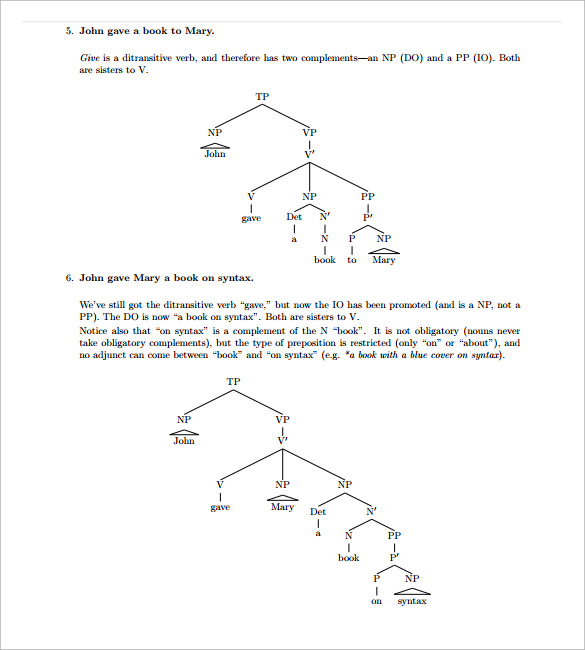
FREE 12+ Sample Tree Diagram in MS Word | PDF

How to Make a Decision Tree in Word | Lucidchart Blog
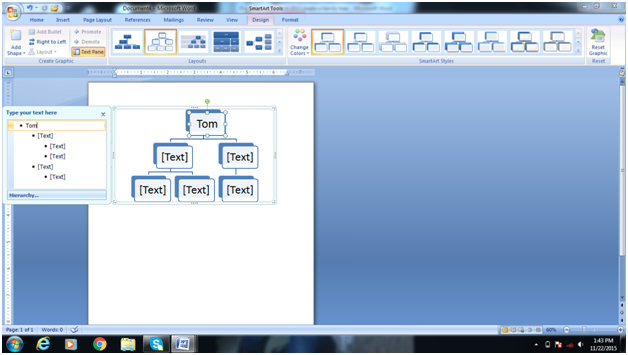
How to Create a Family Tree in Microsoft Word - Tutorial ...
How to create a tree diagram in Word - Quora
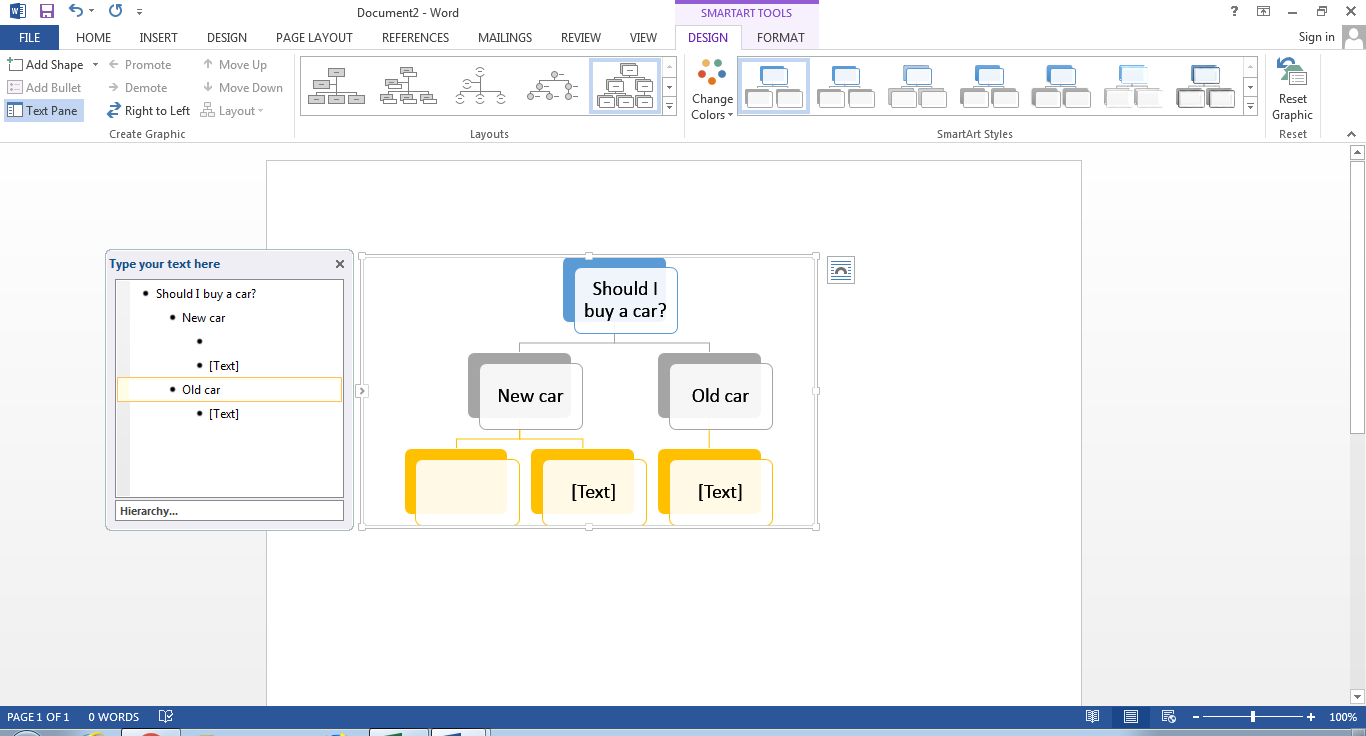
How to Make a Decision Tree in Word | Edrawmax Online
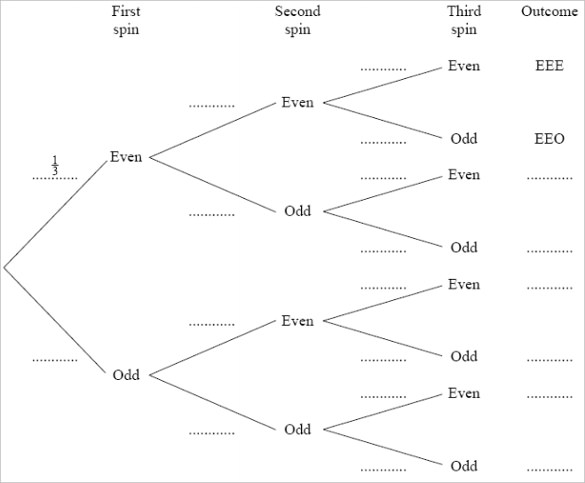
14+ Tree Diagram – Free Printable Word, Excel, PDF, Format ...


Comments
Post a Comment